It’s really easy to change the frequency of your subscription - and you can do it at any time.
Here’s how to do it:
- Log into your account
- Go to ‘Your Subscription’
- Click ‘View full details’
- Go to ‘Delivery frequency’ and click ‘Edit’
- Choose your new frequency, and save
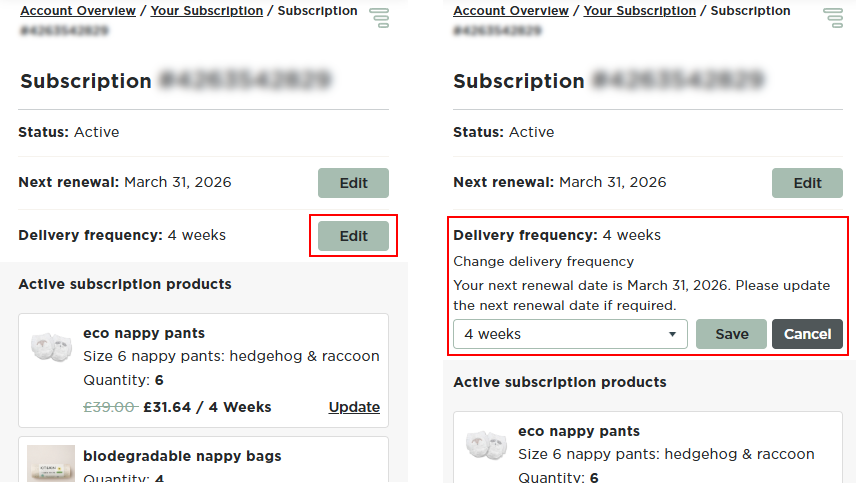
Please note that updating your frequency will NOT change your next delivery date.
The adjustment will be applied to the delivery after that.
Was this article helpful?
That’s Great!
Thank you for your feedback
Sorry! We couldn't be helpful
Thank you for your feedback
Feedback sent
We appreciate your effort and will try to fix the article